On this page
Tracks — the track database
The Tracks area is your library of circuits. Each track holds its key details — length, number of corners, direction and surface — along with your personal records there and your fastest laps. You can mark tracks as favourites to keep them close to hand, and set one as your home track, which Apex uses as a sensible default elsewhere.
This chapter uses our demo driver, Jordan Miles, whose home track is Go Kart Club of Victoria.
What this is for
- Browse the circuits in Apex and find the one you want.
- Favourite the tracks you race at so they surface first.
- See your records and fastest laps at each track.
How to get here
In the sidebar, select Tracks. The page header reads Tracks / Manage Your Tracks.
The Tracks list
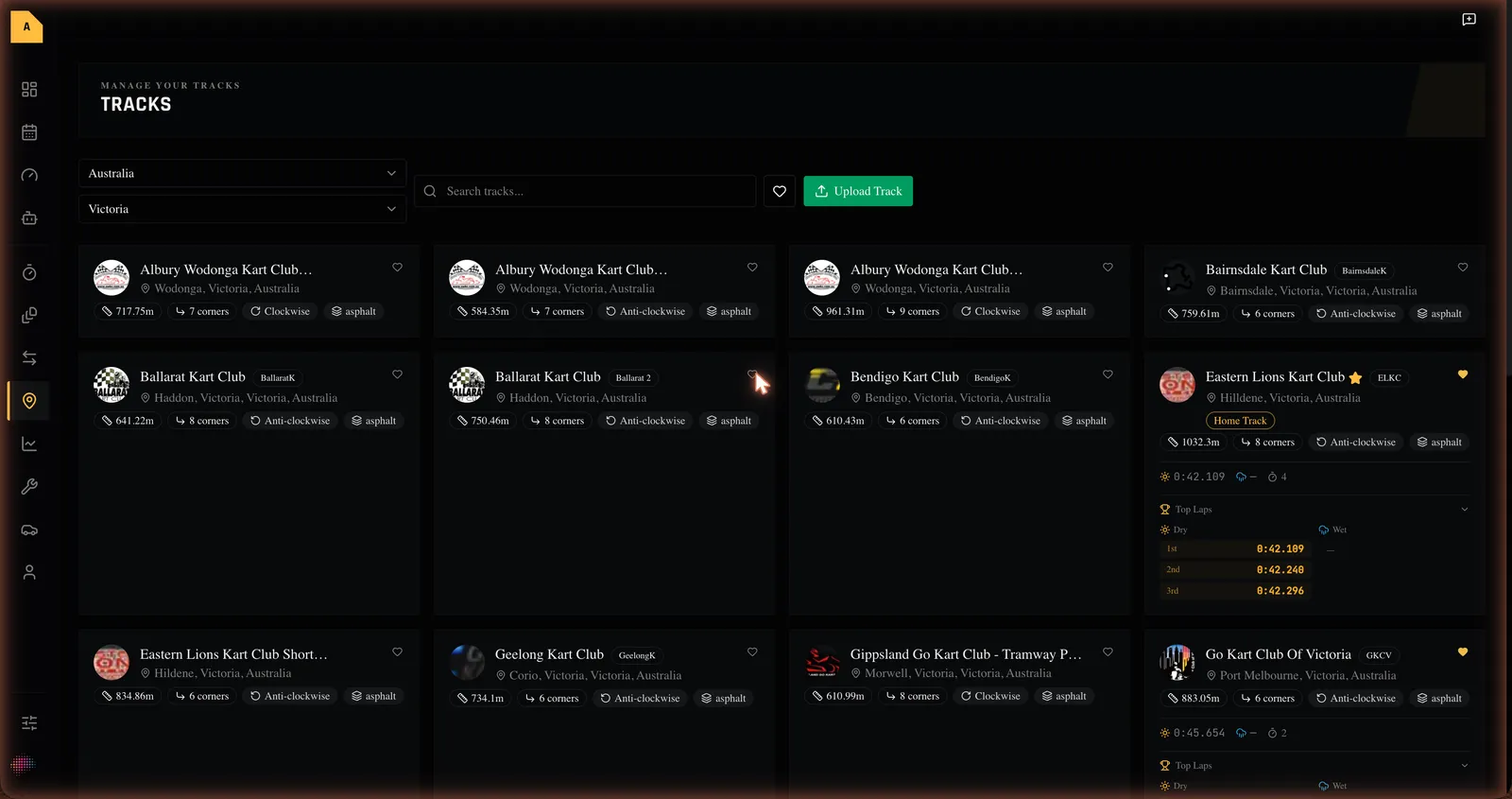
Tracks are shown as cards. You can narrow the list with:
- a country filter, and a state filter (which becomes available once you choose a country that has states listed — for a country without any, it shows "No states listed");
- a Search tracks… box;
- a favourites heart toggle that switches between showing all tracks and only your favourites.
What each track card shows
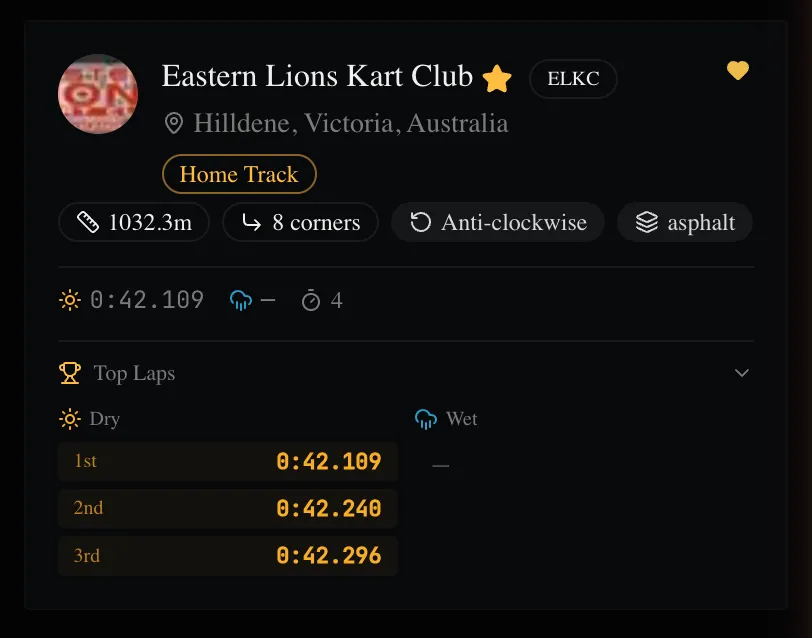
- The track name, with a star if it's your home track, and an editable short code.
- Badges for length (in metres), corner count, direction (clockwise or anti-clockwise), and surface.
- If you've run there: your fastest dry time, fastest wet time, and your session count.
- A Top Laps panel listing your best three dry and wet times.
- A heart to add or remove the track from your favourites.
Empty state: if nothing matches, you'll see "No tracks found" with "No tracks match your filters. Try widening the search."
Favourites and your home track
- Tap the heart on any track to favourite it. Favourites power the "Favourite Tracks" filters on the Events and Tracks pages.
- Your home track (set on your Profile) is marked with a star and is used as a default when creating events and resolving setups.
Track details
Selecting a track opens its detail view, which shows the track's information and your performance there (such as its map, sectors and records).
Note: the track detail page wasn't fully verified for this edition of the guide; the list-card details above are confirmed. See the gaps note in the coverage matrix.
Empty and loading states
- No tracks match: "No tracks found" / "No tracks match your filters. Try widening the search."
- Loading: placeholder track cards appear while the list loads.
Where to next
- Find a track and mark it as a favourite
- Unfamiliar word? See the Glossary. Stuck? See Troubleshooting & FAQ.