On this page
AI Coach — telemetry-aware coaching chat
The AI Coach is a chat assistant that answers your driving and setup questions using your own session data. Ask it to analyse a lap, suggest tyre pressures, or explain what your throttle trace says about your style, and it replies in plain language, grounded in what you've actually recorded.
This chapter uses our demo driver, Jordan Miles.
What this is for
- Get coaching advice tailored to your sessions — lap analysis, setup tips and driving technique.
- Ask questions in plain English and get answers that stream in as they're written.
- Keep a history of your coaching conversations.
How to get here
In the sidebar, select AI Coach. The page header reads AI Coach / AI Powered Kart Coach. On a phone, AI Coach is in the bottom navigation bar.
Pro feature. The AI Coach requires a Pro subscription. Without it you'll see "AI Coach requires a Pro subscription" and a View Plans button. See the Settings & Billing chapter.
The chat screen
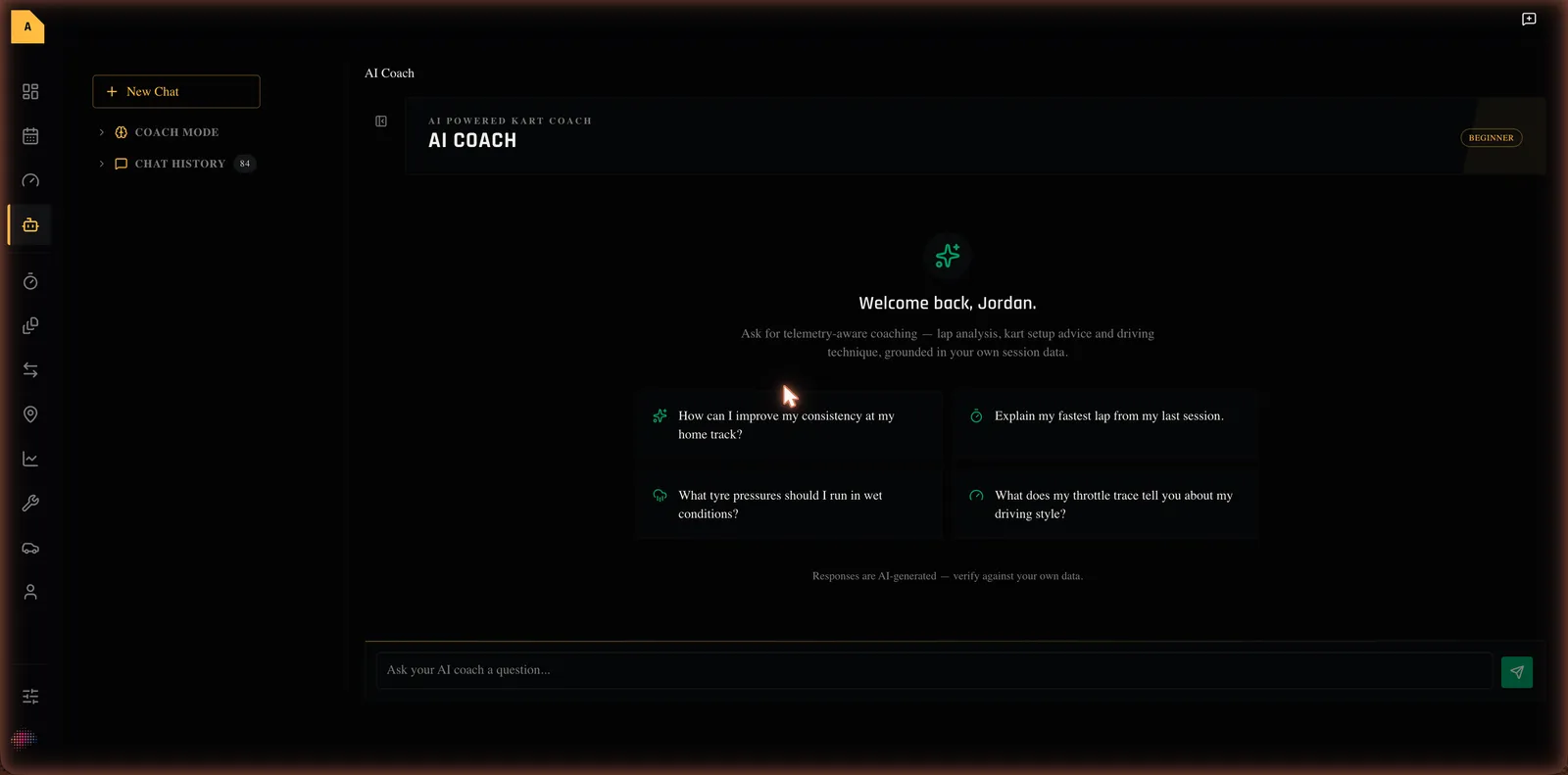
When you open the AI Coach with no messages yet, it greets you (for example, "Welcome back, Jordan.") and explains it offers "telemetry-aware coaching — lap analysis, kart setup advice and driving technique, grounded in your own session data." Four starter prompts get you going:
- "How can I improve my consistency at my home track?"
- "Explain my fastest lap from my last session."
- "What tyre pressures should I run in wet conditions?"
- "What does my throttle trace tell you about my driving style?"
A note reminds you: "Responses are AI-generated — verify against your own data."
Asking a question
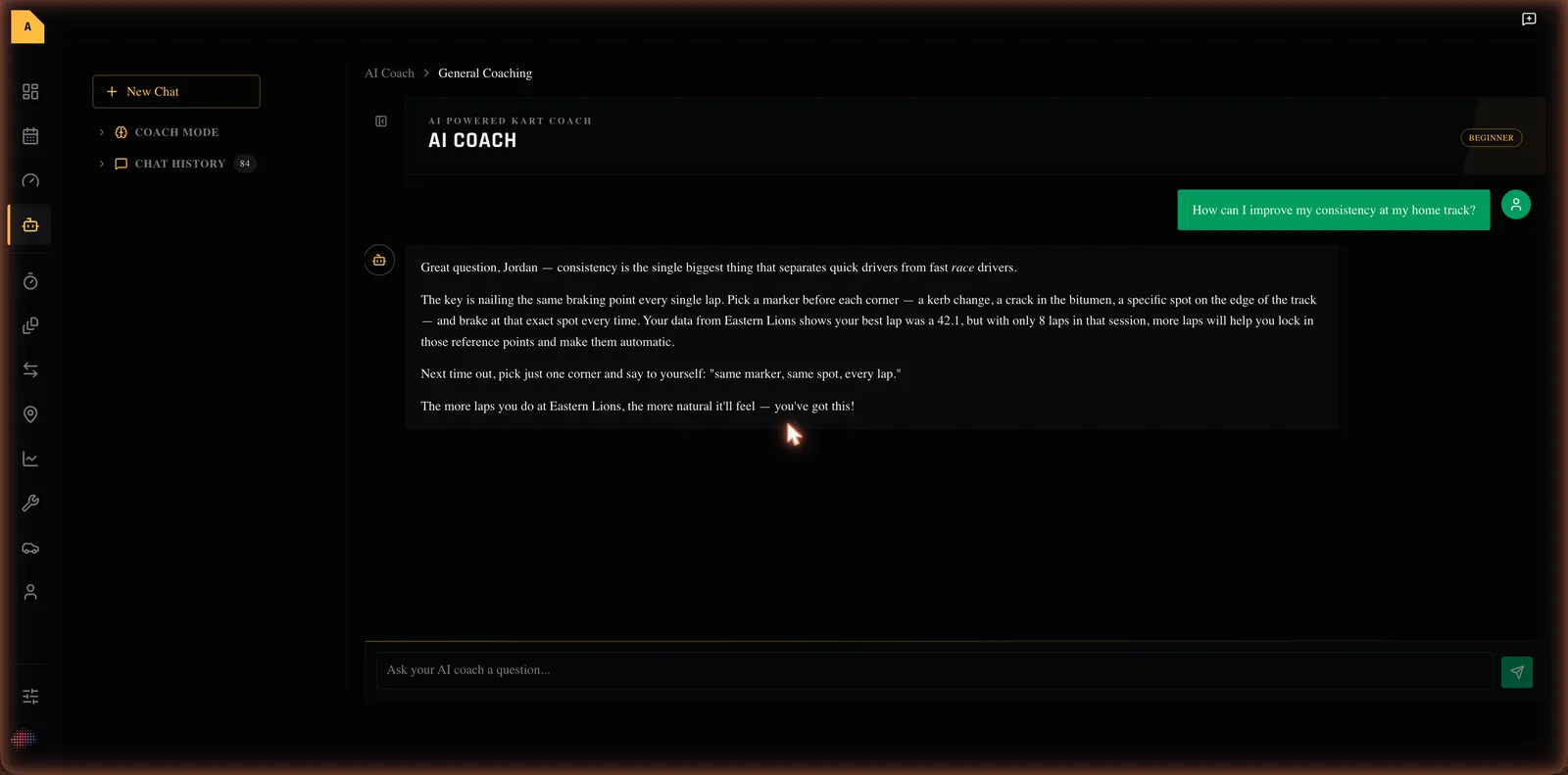
- In the sidebar, select AI Coach.
- Type your question in the box (placeholder: "Ask your AI coach a question..."), or select a starter prompt.
- Send it.
- Read the reply as it streams in. To stop a reply early, use the stop button that appears while it's writing.
Your conversations
A sidebar lists your past conversations. You can start a New Chat, switch between conversations, and archive ones you no longer need. A small badge shows your AI coach level (Beginner, Intermediate or Advanced), which you set on your Profile and which tunes how detailed the answers are.
Empty, loading and error states
- Not subscribed: "AI Coach requires a Pro subscription" with a View Plans button.
- No messages yet: the welcome screen with the four starter prompts.
- A reply fails: "Failed to get a response. Please try again."
- A conversation can't be saved: "Could not save conversation. Chat will continue locally."
Where to next
- Ask the AI Coach a question
- Unfamiliar word? See the Glossary. Stuck? See Troubleshooting & FAQ.