On this page
Profile — your driver details and first-time setup
Your Profile holds your driver details: your name, racing number, date of birth, class, home track, primary kart, AI coach level and social links. It's also where the important defaults live — your home track and primary kart — which Apex uses throughout the app. This chapter also covers what happens the first time you sign in.
This chapter uses our demo driver, Jordan Miles (home track Go Kart Club of Victoria).
What this is for
- Record who you are and how you race.
- Set your home track and primary kart, which Apex uses as defaults elsewhere.
- Choose your AI coach level and add your social links.
First time you sign in
There's no separate sign-up questionnaire. When you first sign in, Apex creates your driver profile automatically, then takes you to the app. To get the most out of Apex straight away, open your Profile and fill in a few key details — your home track, primary kart and class — so events, setups and the tyre tools have sensible defaults.
How to get here
In the sidebar, select Profile. The page header reads Profile / Manage Your Racing Profile.
What's on your profile
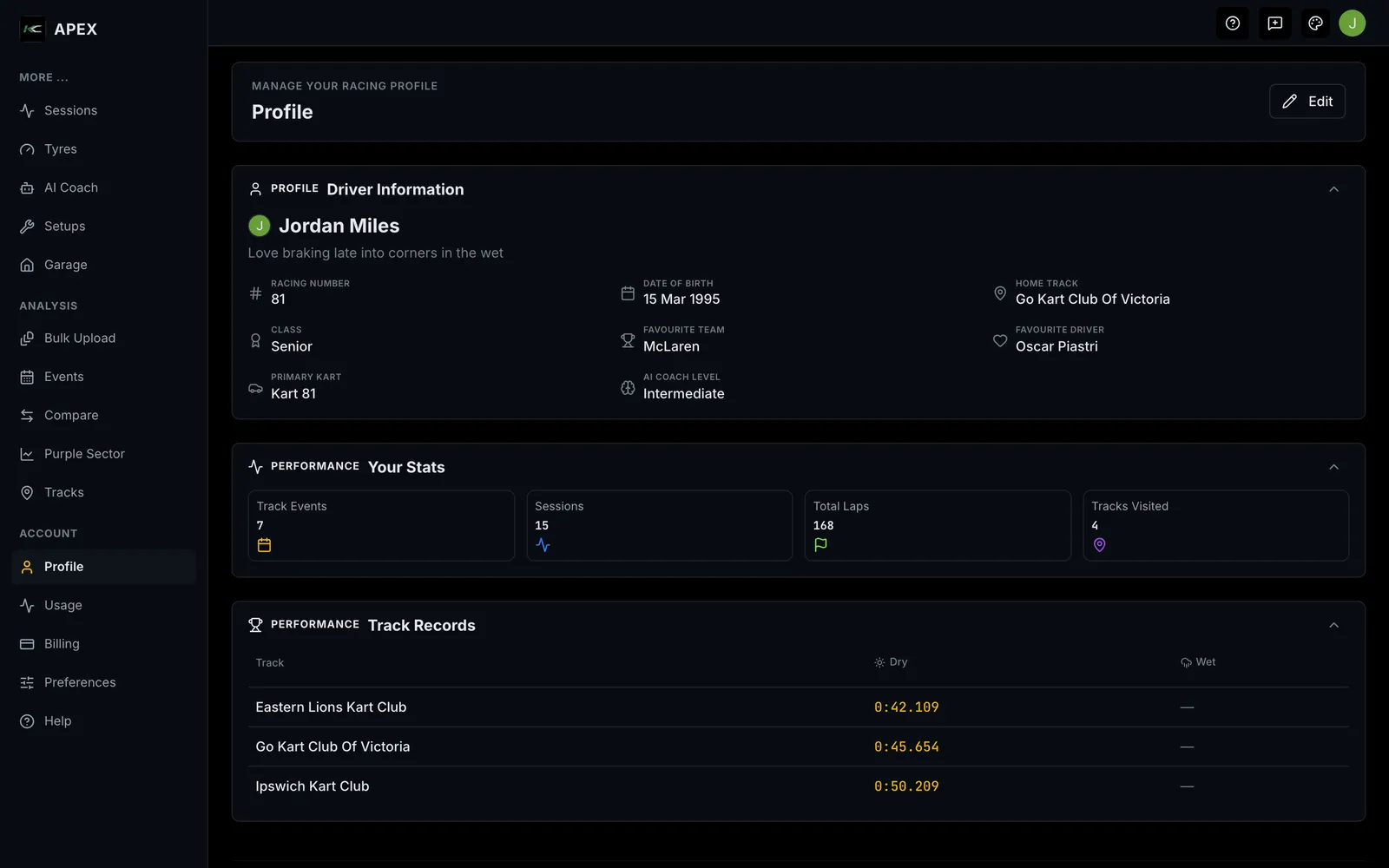
In view mode, your profile shows your Driver Information (racing number, date of birth, home track, class, favourite team and driver, primary kart and AI coach level), your Stats (track events, sessions, total laps, tracks visited), and your Track Records. Any social links you've added appear too.
Select Edit to change your details. The editable fields include:
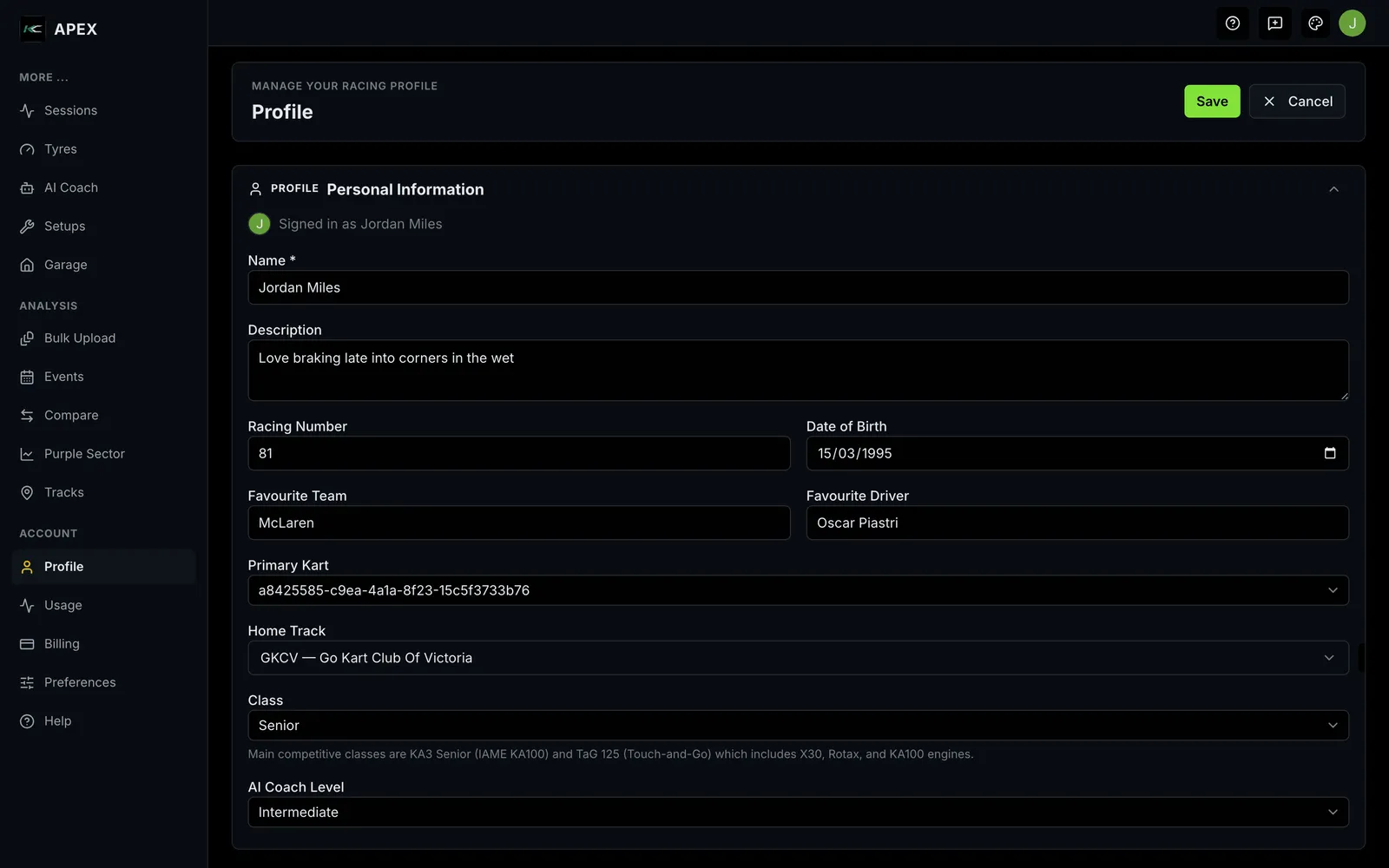
| Field | What it is |
|---|---|
| Name | Your display name (required) |
| Description | A short bio |
| Racing Number | Your competition number |
| Date of Birth | Used to suggest your class |
| Favourite Team / Driver | For your profile |
| Primary Kart | Your default kart across the app |
| Home Track | Your default track across the app |
| Class | Your racing category (suggested from your date of birth) |
| AI Coach Level | Beginner, Intermediate or Advanced — how detailed coaching answers are |
| Social links | Instagram, YouTube, TikTok, Facebook, X |
Select Save to keep your changes or Cancel to discard them. Your profile picture and email come from your sign-in account and aren't edited here.
- Saved: "Profile updated successfully."
Why home track and primary kart matter
- Home track is used as the default when you create events, and as a fallback when Apex resolves which setup to use.
- Primary kart is the default kart for new events and for the setup and tyre tools.
Setting both early means Apex pre-fills the right things and you do less picking.
Empty, loading and error states
- Not set yet: fields you haven't filled show "Not set" in view mode.
- Loading: placeholders appear while your profile loads.
- Save failed: "Failed to update profile. Please try again."
Where to next
- Set up your driver profile
- Unfamiliar word? See the Glossary. Stuck? See Troubleshooting & FAQ.