On this page
My Kart — your kart garage
My Kart is your garage: the karts you own or run, each with its chassis, engine and default setups. Recording your karts here lets Apex pre-fill the right kart and setup when you create events and sessions, and lets you nominate a primary kart as your everyday default.
This chapter uses our demo driver, Jordan Miles, whose chassis is an EKS Eagle.
What this is for
- Record your karts — chassis, engine, class, year and weight.
- Set default setups (dry and wet) for each kart.
- Nominate a primary kart that Apex uses as the default elsewhere.
How to get here
In the sidebar, select My Kart. The page header reads My Kart / Manage Your Kart Garage.
The garage
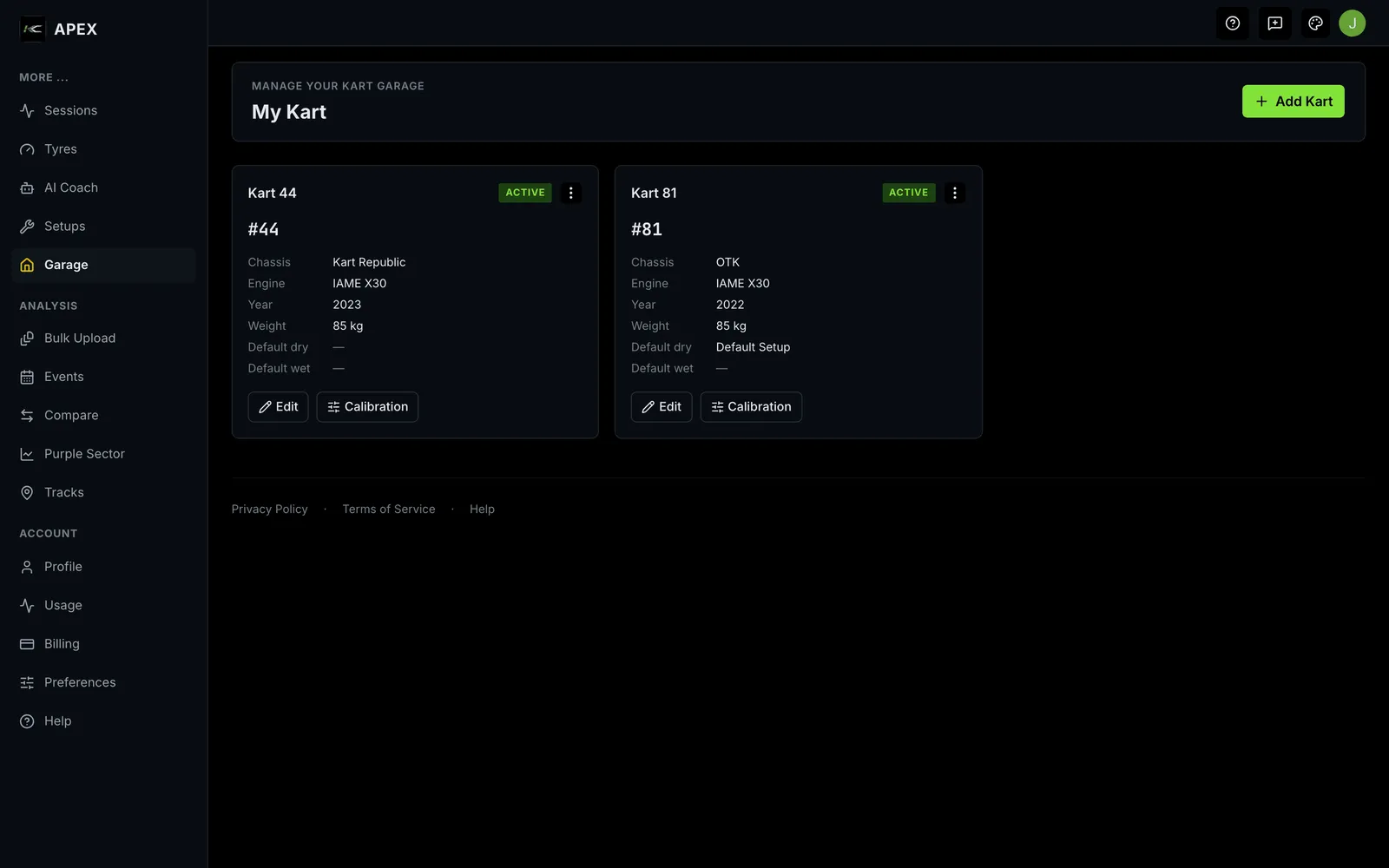
Each kart is shown as a card with its name and a status badge — Active, Retired or For Sale. The card lists:
- the kart number and class;
- Chassis (brand and model) and Engine (brand and model);
- Year and Weight (kg);
- the kart's default Dry and Wet setups (or "Not set");
- any notes.
Controls:
- Add Kart — create a new kart.
- A per-card menu offers Edit and Delete.
- View Details opens the kart's full page.
- Empty state: "No karts yet" / "Add your first kart to start tracking your fleet." with an Add Kart button.
Adding or editing a kart
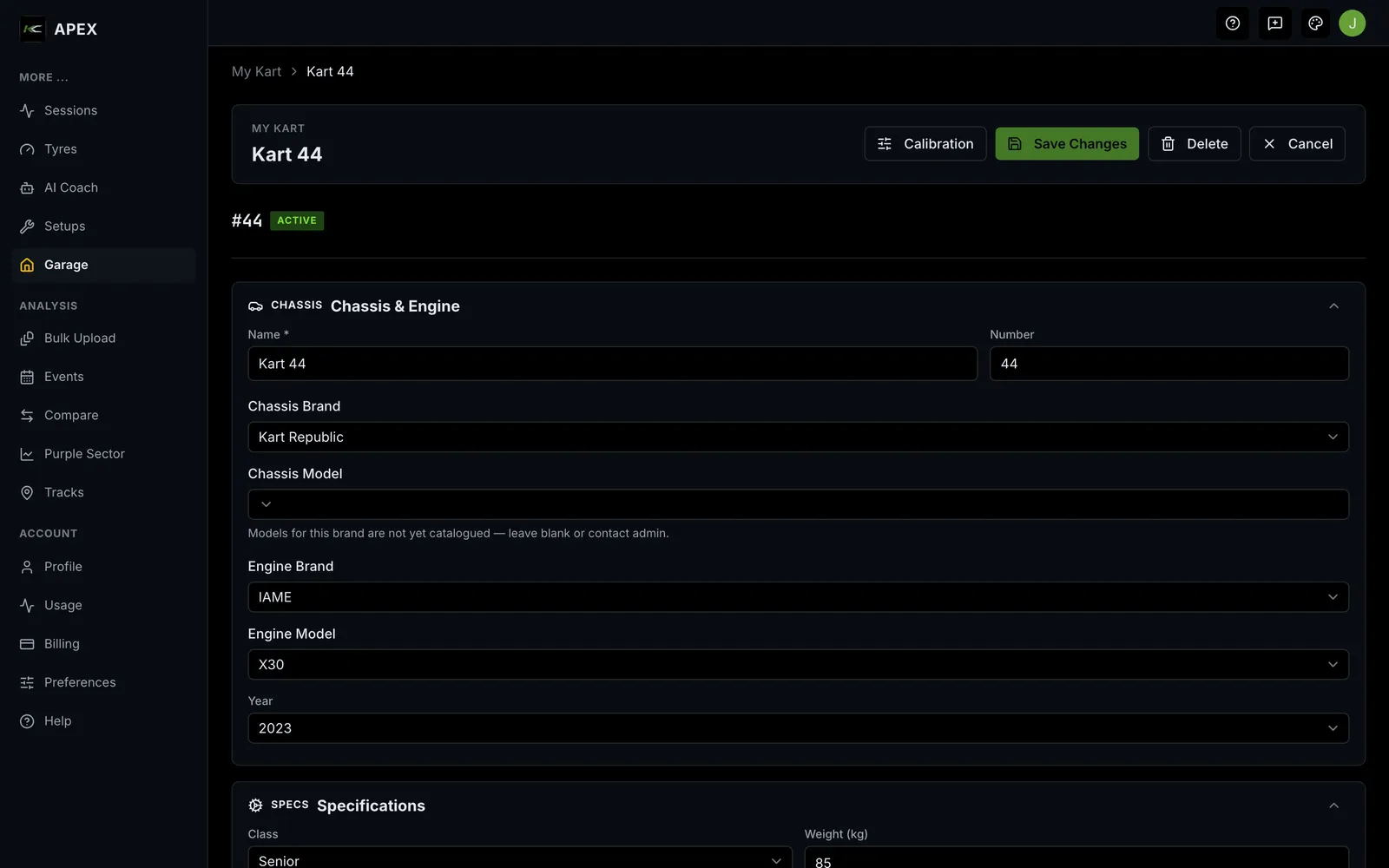
Selecting Add Kart opens a form (breadcrumb My Kart › New Kart) where you enter the kart's details — name, number, chassis, engine, class, year, weight and default setups. Select Create Kart to save; editing an existing kart uses the same form with an Update action.
- Created: "Kart created successfully."
- Deleting asks you to confirm — "Are you sure you want to delete …? This action cannot be undone."
Your primary kart
You nominate your primary kart on your Profile. Apex uses it as the default kart when you create events and when the Tyre Calculator and setup forms need a kart, so you don't have to pick it each time.
Empty, loading and error states
- No karts: "No karts yet" / "Add your first kart to start tracking your fleet."
- Loading: placeholder kart cards appear while the garage loads.
- Delete failed: "Failed to delete kart. Please try again."
Where to next
- Trackside My Kart — the same kart on a phone at the circuit: its profile, its tyres and its baseline setup, behind three chips.
- Add a kart to your garage
- Unfamiliar word? See the Glossary. Stuck? See Troubleshooting & FAQ.